Record what you see, where you see it
Paper notes and a camera roll have to be matched up later, and that is where details go missing. In ReservePath each observation is saved against the component it belongs to, at the moment you make it.
For every component you can record:
- Condition: excellent, good, fair, poor or failed.
- Useful life and remaining life, as you judge them on site.
- Best-case and worst-case cost, each with a comment.
- Cost source, so the figure can be traced later.
- Quantity and location.
- History and comments.
- Photos, with one marked as the primary image.
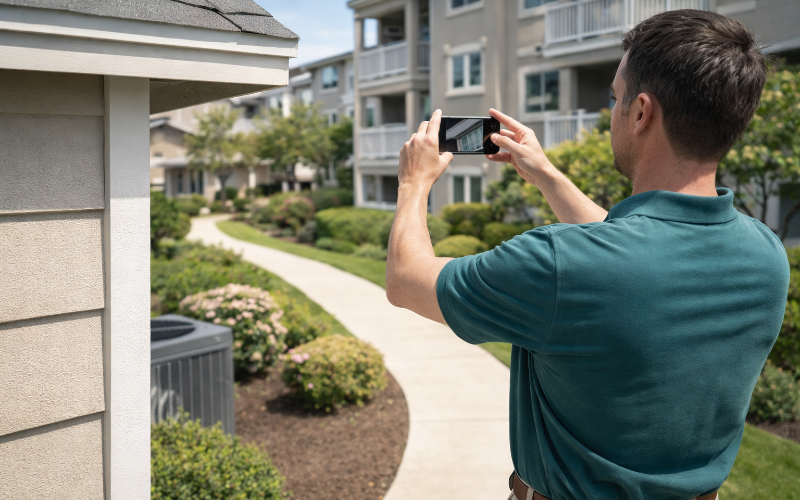
Built for a phone
Field screens use one column, large touch targets and a photo button that opens the camera. Tables turn into cards on a small screen, so nothing needs sideways scrolling. ReservePath can be added to the home screen and opened like an app.
Two kinds of inspection
- Study inspections belong to a reserve study. They cover the overall site visit and each component looked at for that study.
- Association inspections are ongoing condition checks between studies. They build a history for each component, so the next study starts with evidence instead of memory.
From findings to the study
After the visit, the findings sit next to the study's current figures. You decide what to bring across:
- Update remaining life and condition from what was observed.
- Set the cost from the best case, the worst case or the average of the two, or keep the figure already in the study.
Nothing changes until you apply it, and the funding projection recalculates from the new figures.
Photos in the report
Site and component photos can be included in the PDF reserve study report, on the site inspection pages and on each component's detail page. A reader sees the condition the remaining life was based on.
Part of the study workflow
Inspection is one of the 13 stages a study moves through. A full study or an update with a site visit cannot move on to analysis until an inspection is recorded. An update without a site visit skips that stage. See how study levels differ.
Who uses it
Field inspectors and preparers at reserve study firms use it during the site visit. Managers and maintenance staff use association inspections to keep conditions current between studies.
Frequently asked questions
Can I record inspections on a phone?
Yes. The inspection screens are designed for a phone first, with large buttons and a single column. The photo button opens the camera directly.
Does it work without a signal?
ReservePath is a web application and needs a connection to save your work. It can be installed to the home screen like an app, but recording inspections offline is not supported today.
What is recorded for each component?
Condition, useful life, remaining life, a best-case and worst-case cost with comments, where the cost came from, quantity, location, history, general comments and photos.
How do inspection findings reach the study?
You review the findings next to the study's current figures and choose what to apply. For cost you can take the best case, the worst case, the average of the two, or keep the existing figure.
What about updates without a site visit?
A study set up as an update without a site visit skips the inspection stage in the workflow, so the study is not held up waiting for an inspection that will not happen.
Do inspectors use a paid seat?
Inspectors who work on studies use a team seat. Board members and read-only viewers are free and do not.
Try it on your own association
30-day free trial with full access. No card needed.
Start Your Free Trial See pricing